

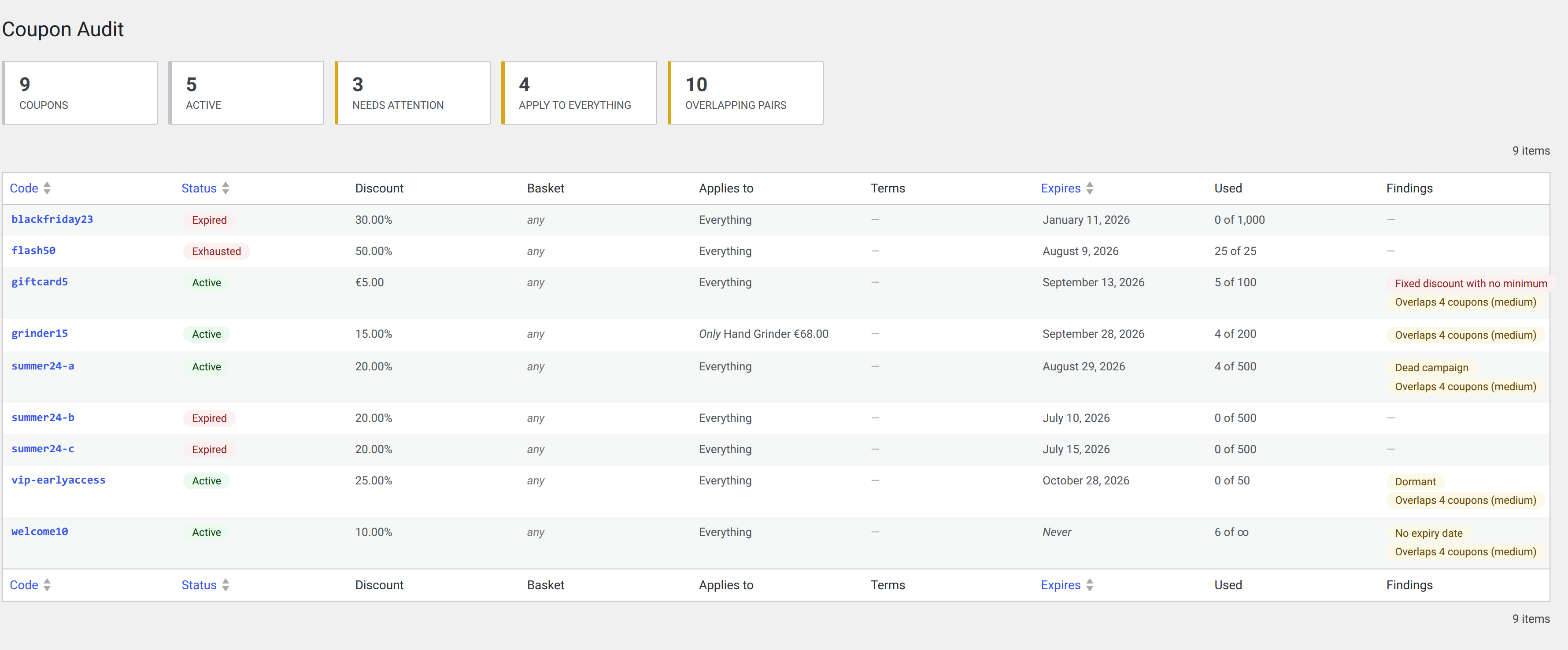
Shops accumulate coupons: promotions that were never turned off, codes that apply to everything, half-expired campaigns, coupons that step on each other. WooCommerce lets you create them, but it won’t tell you which ones are still live, what they really apply to, or what each one costs you. Coupon Audit and Analytics will.
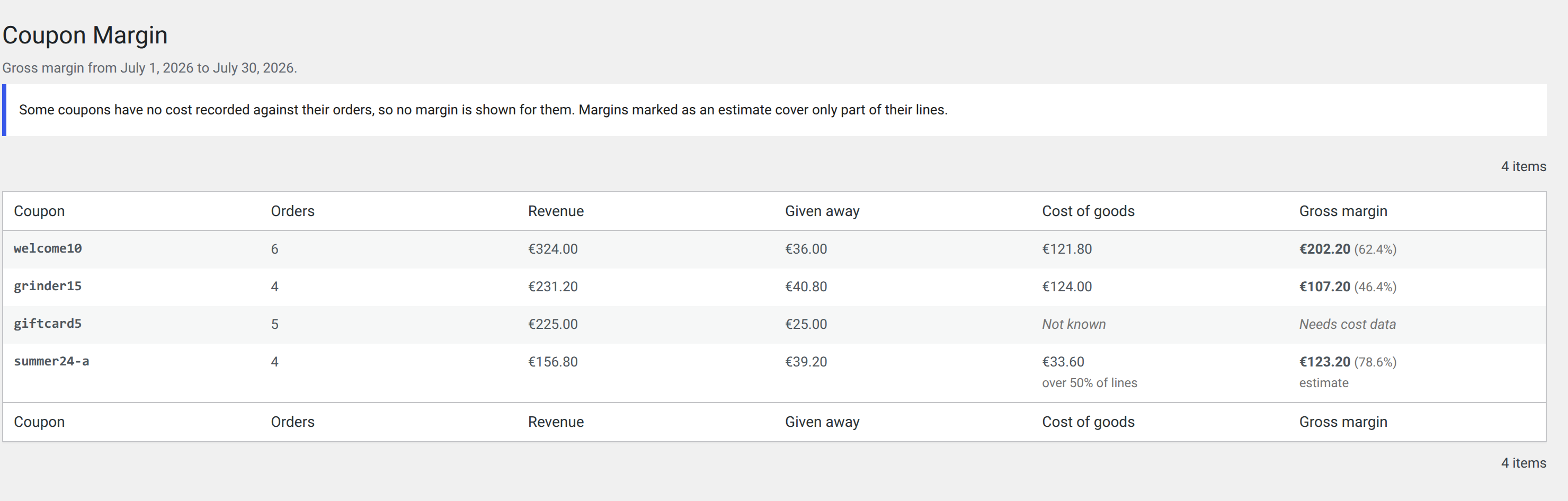
It rests on two pillars. The audit —what’s live, what overlaps, what has been orphaned— needs no cost data and works on day one. The analytics resolves revenue, cost of goods and discount into a per-coupon margin, and is honest when data is missing rather than presenting an unreliable number as a reliable one.
How it works
Reads your coupons
No setup, from day one.
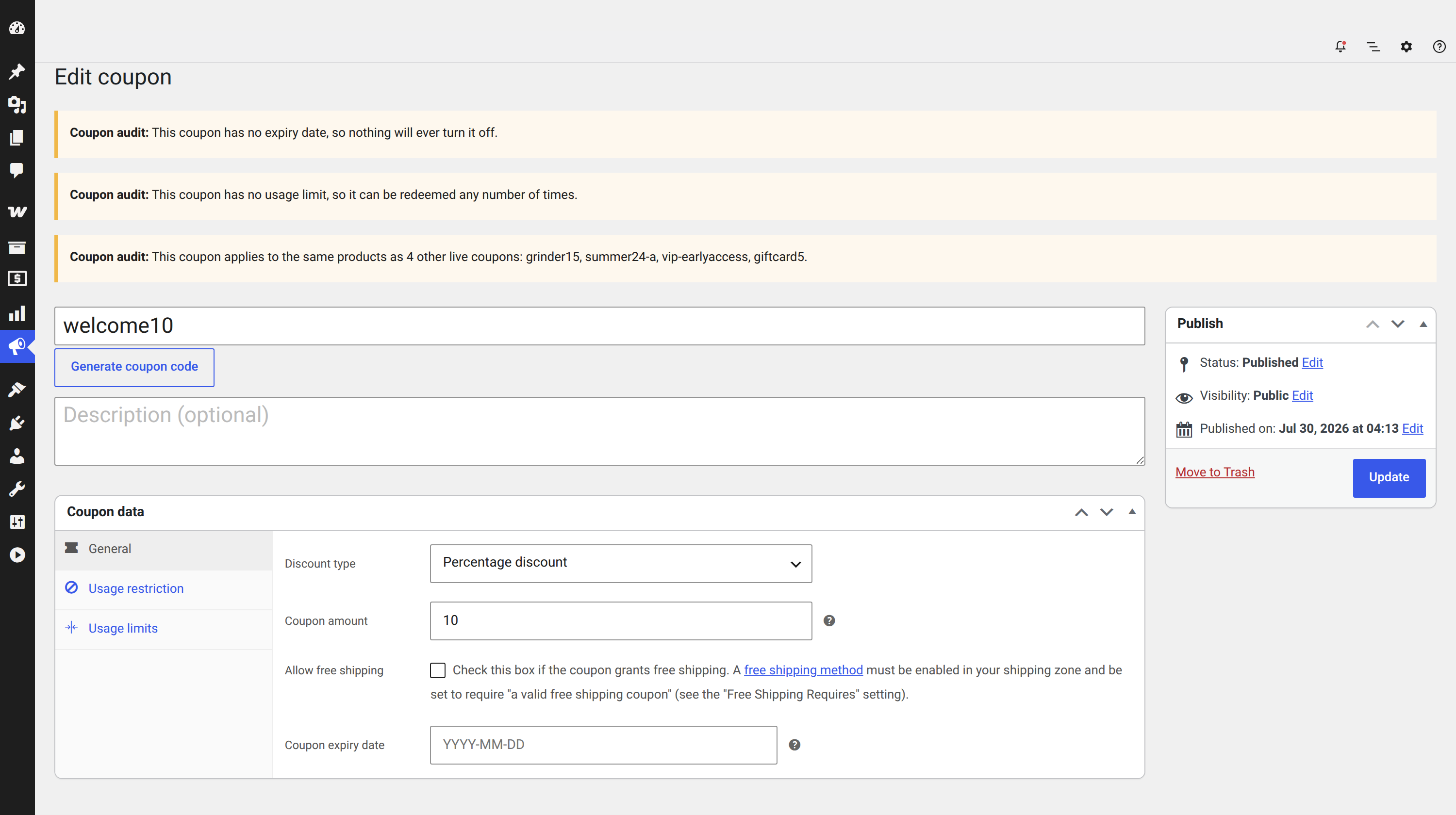
Flags what’s wrong
Never expires, dormant, overlaps, orphans.
Measures real margin
Revenue, cost and discount per coupon.
You decide, with data
The warnings inform; you decide.
Unlock the Power of Premium
The audit and the last-30-days gross margin are free. The Premium version keeps the same screens and adds a full year of history, CSV export, and the real net margin of every coupon.
A full year of history
The margin report covers 365 days, not just the free version’s 30.
Export to CSV
The audit and the margins to your spreadsheet, with a single click.
Net margin
Subtracts the fee your gateway charges: Stripe, WooPayments and PayPal.
| Feature | FreeWordPress.org | Premium$49.99/year |
|---|---|---|
| Coupon audit (status, overlaps, orphans) | ✓ | ✓ |
| Gross margin per coupon | ✓ | ✓ |
| Margin history window | 30 days | 1 year |
| CSV export (audit and margins) | — | ✓ |
| Net margin (payment gateway fee) | — | ✓ |
| Gateways for net margin | — | Stripe · WooPayments · PayPal |
| Priority support | — | ✓ |
Premium · per site
One licence, every feature. Discounts by number of sites.
- A full year of margin history
- CSV export of the audit and margins
- Real net margin (Stripe, WooPayments, PayPal)
- Updates for the whole licence
Installing Premium deactivates the free version automatically; your settings and the figures already gathered carry over.
Frequently Asked Questions
Do I need a cost-of-goods plugin?
No. The audit half — expiry, overlaps, orphans, scope — needs no cost data at all and works the moment you activate.
Margins do need cost data, but not necessarily another plugin: WooCommerce has included its own Cost of Goods feature since 10.3, and it only needs switching on. If your shop already records cost in one of the third-party plugins listed above, this reads that instead — whichever one you tell it to believe.
Why does a coupon show no margin?
Because none of its orders has a cost recorded against it. The plugin will not guess, and it will not quietly treat an unknown cost as zero, because that would report your revenue as your profit.
Why are some margins marked as an estimate?
Either some order lines have no cost recorded, in which case the covered share is stated alongside; or your cost plugin only stores what a product costs today rather than what it cost when each order was placed. Both are useful. Neither is exact, and the screen says so.
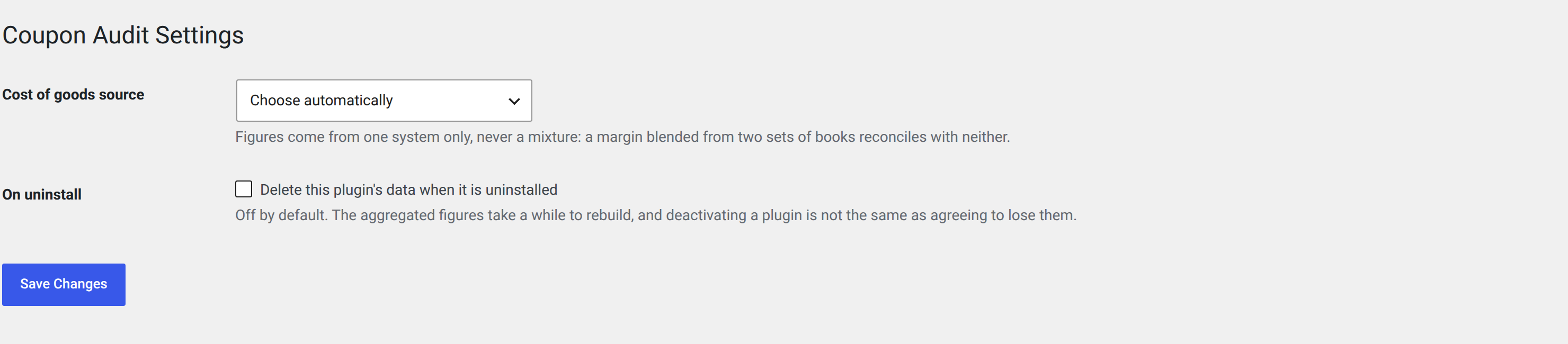
I use two cost plugins. Which one does it read?
One of them, chosen by you under WooCommerce → Coupon Audit Settings. It never mixes them.
Does it slow my shop down?
It does not run on the storefront at all. Aggregation happens in the background through Action Scheduler, and the admin screens read precomputed figures.
Does it send my data anywhere?
Your shop's data, no — not a coupon, not an order, not a customer. Everything the plugin reports is worked out on your own server and stays there.
The plugin does contact one outside service, Freemius, to check for updates and to license the paid version. It also asks whether you are willing to send diagnostics about the site itself, such as its address and the version of WordPress it runs. It asks before sending anything, you can say no, and saying no changes nothing about how the plugin works.
Get started today
Get your coupons in order now. Install the free version from the WordPress Plugin Directory or go Premium for a full year of history, CSV export and net margin.