
I’ve been a freelancer for years. I can’t remember exactly when I started tracking my finances in a spreadsheet, but I do remember the exact moment I stopped.
It was a weeknight. I was reconciling the month’s expenses and realized I’d entered the same expense twice in the following month’s forecast. I’d logged it, couldn’t find it among dozens of rows, and logged it again. The error wasn’t serious — a few euros off in a projection — but it made me confront something I’d been avoiding for a while: do I actually have control of my finances, or just the illusion of it?
It wasn’t Excel’s fault. Excel does exactly what you tell it to. The problem was me: maintaining that spreadsheet cost more effort than it gave back. Every quarter, when it was time to file VAT or income tax, I’d open the sheet with a mix of resignation and dread. Did I record everything? Did I miss an invoice? Do the numbers match what the bank says?
I’ve written in more detail about why I quit Excel, but the short version is that I didn’t quit because it was bad — I quit because it gave me a false sense of control. Having data is not the same as having data that’s organized, up to date, and working for you.
The problem of being a freelancer and a person at the same time
Any freelancer in Spain knows that quarterly taxes are neither optional nor simple. Every three months you have to calculate output and input VAT, file Form 303, estimate the income tax installment with Form 130, and maintain the accounting ledgers that the tax authority can request at any moment.
If on top of that you want a realistic cash flow forecast — knowing how much you’ll have in your account two months from now, factoring in the taxes you’ll owe — things get considerably more complicated. And it’s not a luxury: without that forecast you’re making decisions blind. Can I afford that expense? Do I have room to invest in training this quarter? Or will the VAT payment catch me without enough cash?
But I didn’t just need to manage my freelance activity. I also wanted to track household expenses. Shared costs, subscriptions, the mortgage, insurance. Things that have nothing to do with your professional activity but come out of the same bank account — or the one next to it. And that’s where everything broke down: accounting tools for freelancers ignore your personal life, and personal finance apps have no idea what Form 303 is.
My spreadsheet tried to do both. It had tabs for professional income, tabs for household expenses, formulas for VAT, formulas for the forecast. It worked — more or less — until it didn’t.
A gap nobody fills
If you look for freelancer tools in Spain, they exist, and some are genuinely good. Declarando is probably the most complete on the tax side: it calculates your tax forms, generates the mandatory ledgers, and even files your returns directly with the AEAT. Quipu and Holded are solid for invoicing and accounting. Anfix, Cuentica, Kontably, Txerpa, Billin… there’s no shortage of options. But they’re all business tools: they know nothing about your mortgage, how much you spend on groceries, or whether you’ll make it to the end of the month after paying VAT and the homeowner association fee.
On the other side, personal finance apps. Fintonic connects to your bank and categorizes your monthly spending. YNAB has an envelope budgeting system that works well if you stay disciplined. Toshl does a decent job of visual expense tracking. Spendee connects to European banks. But none of them know what Form 303 is, none will calculate your quarterly VAT, and none take into account that every three months you need to set aside money for taxes. Nor will they tell you that next month the university tuition is due. They tell you how much you’ve spent, not how much you’re going to need. And the best ones for balance forecasting — Monarch Money, Copilot Money — aren’t even available outside the United States.
The market is split in two. On one side, tools for your professional activity. On the other, tools for your personal life. And in the middle, a gap: nobody combines both in one place, so you can see the full picture — your real money, after taxes, accounting for all your personal and professional commitments.
I didn’t get around to trying all those tools. I didn’t need to. It was enough to look at what each one offered to see that what I needed — a single tool that bridged both halves — didn’t exist.
So I built it
I’m a developer. I’ve been writing software for decades. And sometimes the most honest answer to “I can’t find what I need” is to build it yourself. There’s an obvious risk — the developer who reinvents the wheel — but in this case I’d been looking long enough to know that the wheel I needed didn’t exist.
It’s called Cuéntamo. And what started as a tool to solve my own problems has kept growing, feature by feature, every time I ran into a new situation that needed solving.
The forecast: knowing what’s going to happen with your money
The first thing I built was the cash flow forecast. It was what I missed most and what my spreadsheet did worst.

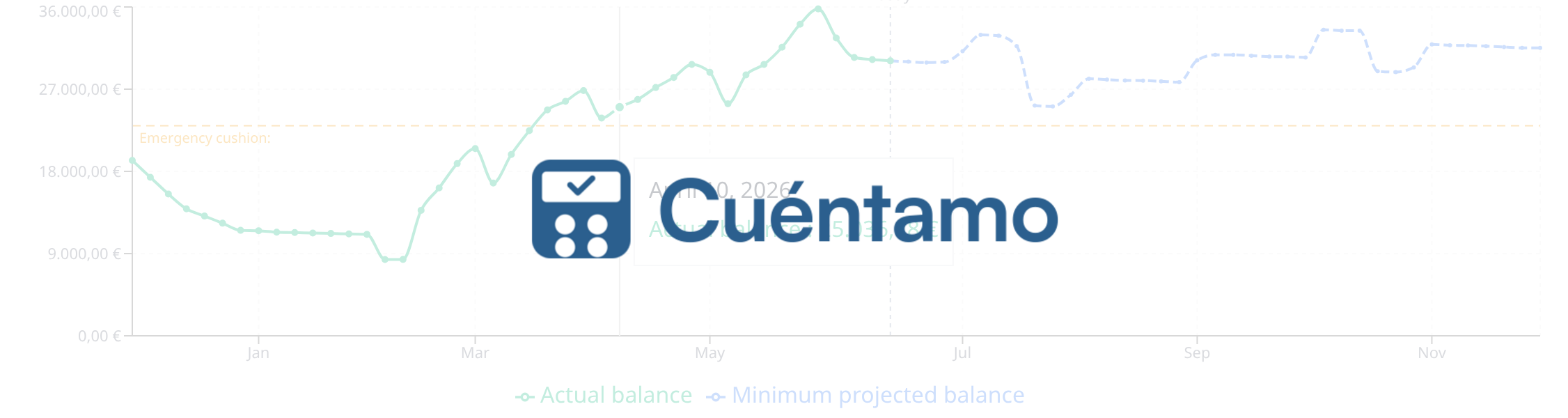
The idea is simple: you define your recurring transactions — freelancer social security, rent, a regular client’s fee, the electricity bill, the mortgage, subscriptions — and the tool automatically generates a balance projection up to 24 months ahead. Not an accounting balance, but a practical prediction: “if everything continues as it is, this is what’s going to happen with your money.”
It sounds like a minor detail, but it radically changes how you make decisions. Before, when I was considering a big expense, I’d look at my bank balance and decide based on what was there today. Now I can see what’s going to happen to my balance over the coming months, including the tax quarters, and plan accordingly. I can see whether a slow month is going to be a temporary dip or the start of a real problem.
When a forecast transaction materializes — the bank charge arrives, you receive payment from a client — you confirm it and it goes from “forecast” to “real.” The balance updates, the projection recalculates. Simple, but powerful.

But what really changed my perspective was realizing that, with the forecast already set up, simulating scenarios was almost trivial. What happens if I lose the client paying me €2,000 a month? I disable that recurring income and instantly see how my projected balance looks over the coming months. What if I increase my freelancer social security contribution to improve my pension base? I modify the forecasted expense and see the real impact before making the decision. It’s not a separate module or a special screen: it’s the same forecast as always, just toggling the switches on each planned transaction. It sounds simple, and it is. But getting that answer in ten seconds, instead of spending half an hour redoing formulas in a spreadsheet, is what makes the difference between deciding with data and deciding with gut feeling.
The freelancer module: VAT, income tax, and everything the tax authority expects from you
Once I had the forecast working, the next pain point was obvious: quarterly taxes. Every three months, the same story: gather invoices, add up tax bases, calculate output minus input VAT, estimate the income tax installment, and pray you haven’t forgotten anything.
I automated it. The freelancer tax management module calculates quarterly VAT and income tax settlements automatically from the invoices you record. Each invoice carries its VAT rate, its income tax withholding if applicable, and the quarter’s calculation updates in real time. It also handles the equivalence surcharge for those who need it, and the amortization of capital goods using the official tables from the Spanish tax authority.

But what really took a weight off my shoulders were the accounting ledgers. The AEAT requires freelancers on direct estimation to maintain four ledgers: income, expenses, capital goods, and provisions. In theory you can keep them “in any format.” In practice, if they audit you and your records aren’t in order, you’ve got a problem. Cuéntamo generates them automatically. Every invoice you record appears in the corresponding ledger, with all the data the tax authority expects: invoice number, date, supplier’s tax ID, tax base, VAT rate, tax amount.

I’ve documented on the blog how to fill out Form 303 step by step, because it’s the kind of thing that seems simple until you sit down in front of the AEAT form for the first time. Same with the quarterly income tax Form 130: it’s not hard once you understand it, but the first time nobody explains it clearly.
Household finances, in the same place
From the start I was clear that I didn’t want two separate tools: one for professional and one for personal. I want to see the full picture, and that includes the household balance forecast: the mortgage, insurance, subscriptions, car expenses, groceries, utility bills. Everything that comes out of your pocket but isn’t professional activity.
The key insight is that your balance is one. If in April you owe €2,000 in VAT and €800 in income tax, and that same month the car insurance is due and you have to pay property tax, you need to see all of that together. It’s no use knowing that “your business is doing well” if your bank account is going to hit zero because you didn’t count personal expenses.
Cuéntamo separates transactions by scope — personal and freelance — but shows you the combined balance forecast. You can filter and see only professional or only household, but the overall picture always reflects the complete reality.
And if you share household finances with someone else, each account book can have multiple members. Everyone sees the same data, can record transactions, and check the forecast.
Importing instead of typing
One of the things that wasted the most time with my spreadsheet was manual entry. Every transaction, typed by hand. Every invoice, copied over. The obvious alternative was importing data directly from the bank.
Cuéntamo imports bank statements in CSV, Excel (XLS, XLSX), or ODS. The first time you upload a file from a new bank, the tool automatically detects the format — which column is the description, which is the amount, which is the date — and saves the profile for next time. If you have multiple accounts at the same bank, it can import to each one separately. And it has a categorization engine that learns from what you’ve already classified: if you’ve been categorizing Mercadona charges as “Groceries” for three months, it’ll suggest that automatically for the next ones.
It doesn’t sound like much put that way, but in practice it’s the difference between spending half an hour a month recording transactions and spending five minutes reviewing what the tool has already done.

What came next: investments
Once I had day-to-day finances covered, the next natural question arrived: what about investments?
I had positions in index funds, some individual stocks, a fixed-term deposit. Each at a different broker, each with its own statement in a different format. And at the end of the year, the same exercise as always: calculating capital gains for the tax return, using FIFO, carrying over loss offsets from previous years. By hand, in yet another spreadsheet.
So I built an investment module. You record your positions — funds, stocks, ETFs, crypto — and your buy and sell operations, and Cuéntamo maintains the FIFO calculation automatically, computes realized capital gains and withholdings, and generates a tax report you can use directly for your tax return. It also imports operations from some brokers like DeGiro and Trade Republic.
Quotes update daily from multiple sources, and there’s a portfolio evolution chart with stacked areas by position that lets you see at a glance how each investment is doing and how the overall portfolio is evolving. There’s also support for fixed income: deposits, treasury bills, bonds with their coupons and maturities.

I won’t lie: this was the most complex part to build. But when doing this year’s tax return and having the capital gains already calculated and the FIFO squared away, I thought it was worth it.

The little things that matter
Beyond the big features, there are details I kept adding as I needed them, and they’re often the ones I appreciate most day to day:
Transfers between accounts. Moving money from your checking account to savings isn’t an expense or income — it’s a transfer. If you treat it as an expense in one account and income in another, your forecast gets distorted. Cuéntamo handles it as a single movement between two accounts, without affecting the totals.
Tags. In addition to categories (the usual: groceries, transport, entertainment…), you can create custom tags to cross-reference information. For example, if you have a rental property, you tag it and all associated transactions — HOA fees, property tax, repairs, insurance, rental income — are grouped together. When tax return time comes, you filter by that tag and have everything ready to fill in the corresponding boxes, without digging through months of bank statements.
Connected accounts. You can connect an account in your book with an account in another book, even belonging to another person. Transactions sync automatically on both sides. My eldest daughter and I use it to manage everyday debts between us: the pharmacy purchase she’s fronted that I reimburse later, the gift item she asks me to buy using my Amazon account… Each of us sees in our own book what the other owes, without having to keep track mentally or send messages like “hey, did I already pay you back for that thing the other day?”
Splitting transactions. When a €150 supermarket charge shows up on your bank statement but €30 was cleaning supplies and the rest was groceries, you can split the transaction in two with different categories. It seems trivial until you’ve been at it for six months and actually want to know how much you spend on each thing.
Third-party directory with tax IDs. If you’re a freelancer you need to record your clients’ and suppliers’ tax IDs in the accounting ledgers. Cuéntamo maintains a directory that auto-completes: the first time you record an invoice with a new tax ID, it saves it; from then on, it suggests it automatically.
Monthly analysis table. A pivot table of category by month that lets you see, at a glance, how each expense line evolves throughout the year. Click on a cell and you see the actual transactions. Combined with tags and the ability to associate each transaction with a tax ID, it’s very useful for things like the annual tax return: filter by a property’s tag, see the deductible expenses broken down by category and by third party, and have everything ready to fill in the corresponding boxes.

How much can I spend? This is one of the latest additions, and one I use the most. Based on your balance forecast and an emergency cushion you define (in months of expenses), Cuéntamo tells you two things: the maximum one-time expense you could make right now without compromising that cushion, and the additional monthly spending you could sustain on an ongoing basis. If a one-time expense eats into the cushion, it tells you when you’d recover it. It’s the direct answer to the question I kept asking myself with Excel and could never answer with confidence.

PWA and dark mode. The app works as a native application on mobile. I install it from the browser, give it a spot on my home screen, and checking my balance or recording an expense doesn’t require opening anything else. And in dark mode, which is how I use it 90% of the time.

An API for those who want to go further
As a developer, one of the things that frustrated me about finance apps was that your data was trapped. You couldn’t write a script to alert you when your balance dropped below a certain threshold, or integrate your financial data with any other tool, or export anything in a useful format.
Cuéntamo has a public API with personal access tokens. You can read your accounts, your transactions, your recurring items, or create transactions from any script or automation. The documentation is open. It’s the same API the application itself uses, no tricks or stripped-down versions.
Does a lot of people use it? Probably not. But for those of us who do, it makes a difference.
Your data is yours
There’s something that bothers me about some personal finance apps: they analyze your transactions to sell you products. Fintonic, for example, detects when your car insurance is about to expire and offers you a “better” one. Your financial information — how much you earn, how much you spend, on what, when — becomes their business model.
With Cuéntamo this doesn’t happen and never will. I don’t analyze your data to offer you anything. I don’t sell it. I don’t share it. There are no ads, no recommended products, no “personalized offers.” The business model is the subscription, period. You pay to use the tool, and in return your data is exclusively yours.
It’s a deliberate choice, not an oversight. When you entrust a tool with your entire financial life — income, expenses, invoices, investments, taxes — the least you can expect is that information won’t be used against you.
Where it stands now
I’ve been developing Cuéntamo for over a year and I use it daily. It started as a tool to solve my own problem — the spreadsheet that couldn’t keep up anymore — and has grown to cover things I didn’t even consider at first: investments, automatic bank statement imports, accounting ledgers, fixed income, category analysis.
Every new feature was born from a real problem. There’s nothing in Cuéntamo that’s there “just in case” or because it looked good on a feature list. Everything it has is something I needed at some point and solved by writing code.
If you’re a freelancer in Spain and you’re tracking your finances in a spreadsheet that’s starting to hurt, or if your personal and professional finances are scattered across three different apps that don’t talk to each other, it might be worth a look.
And if you end up sticking with your spreadsheet, at least make it a conscious decision and not inertia. That’s already progress.
Leave a Reply